NEW Bulk URL Import & 1-Click Quick Scans for instant contact enrichment

Free Chrome Extension No Sign-up Required

Review business results from
Google Maps & any website

Review visible Google Maps results, uncover contact details on any website, or enrich URLs in bulk.
Extract emails, phone numbers, and social profiles instantly, and export directly to Excel. Zero coding required.

SuperLead Pro in action

Works with all Chromium-based browsers

Chrome
Brave
Edge
Opera
Vivaldi
Features

Everything you need to
build your business list

Four powerful modes to review business results from Google Maps, scan single websites, or enrich URLs in bulk. Build your prospect list right inside your browser.

Maps + Web Lead Export

Search any niche on Google Maps and instantly review business names, phone numbers, websites, ratings, reviews, and addresses.

Website Contact Lookup

Automatically scan listed business websites to find public emails, phone numbers, and social profiles. All data is processed locally in your browser for maximum privacy.

Quick Scan — Website

Visit any business website and review public contact details with a single click. No complex setups or coding required.

Alt + S Instant scan on any page

Bulk URL Import

Paste a list of website URLs to review contact details in bulk. Perfect for enriching your existing prospect lists instantly.

Filter, Tag & Organize

Filter results by rating and reviews. Add notes and custom tags like "High Priority" or "Follow Up" to manage your records directly within the extension.

Excel & CSV Export

Export your data to beautifully formatted Excel files with styled headers and clean URLs, or use CSV for seamless import into any CRM.

Total Control Settings

Fine-tune extraction settings with our unified control panel. Adjust processing speed, parallel tabs, and scraping parameters with ease.
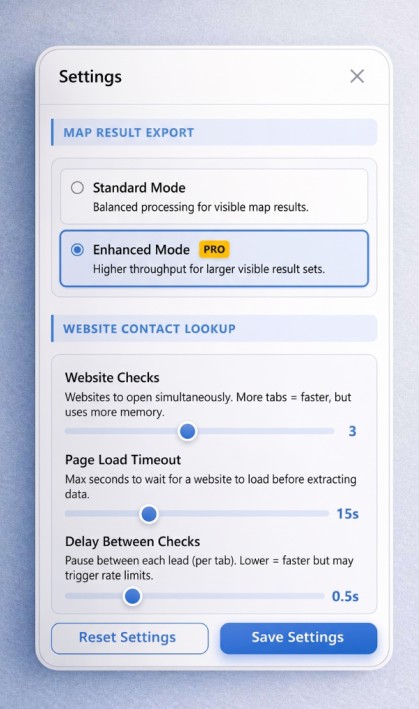
Customizable settings panel showing speed and parallel tab controls
feature-setting.jpg

Stunning Light & Dark Modes

Work comfortably day or night. SuperLead Pro seamlessly switches between a crisp light UI and a sleek dark mode built for power users.
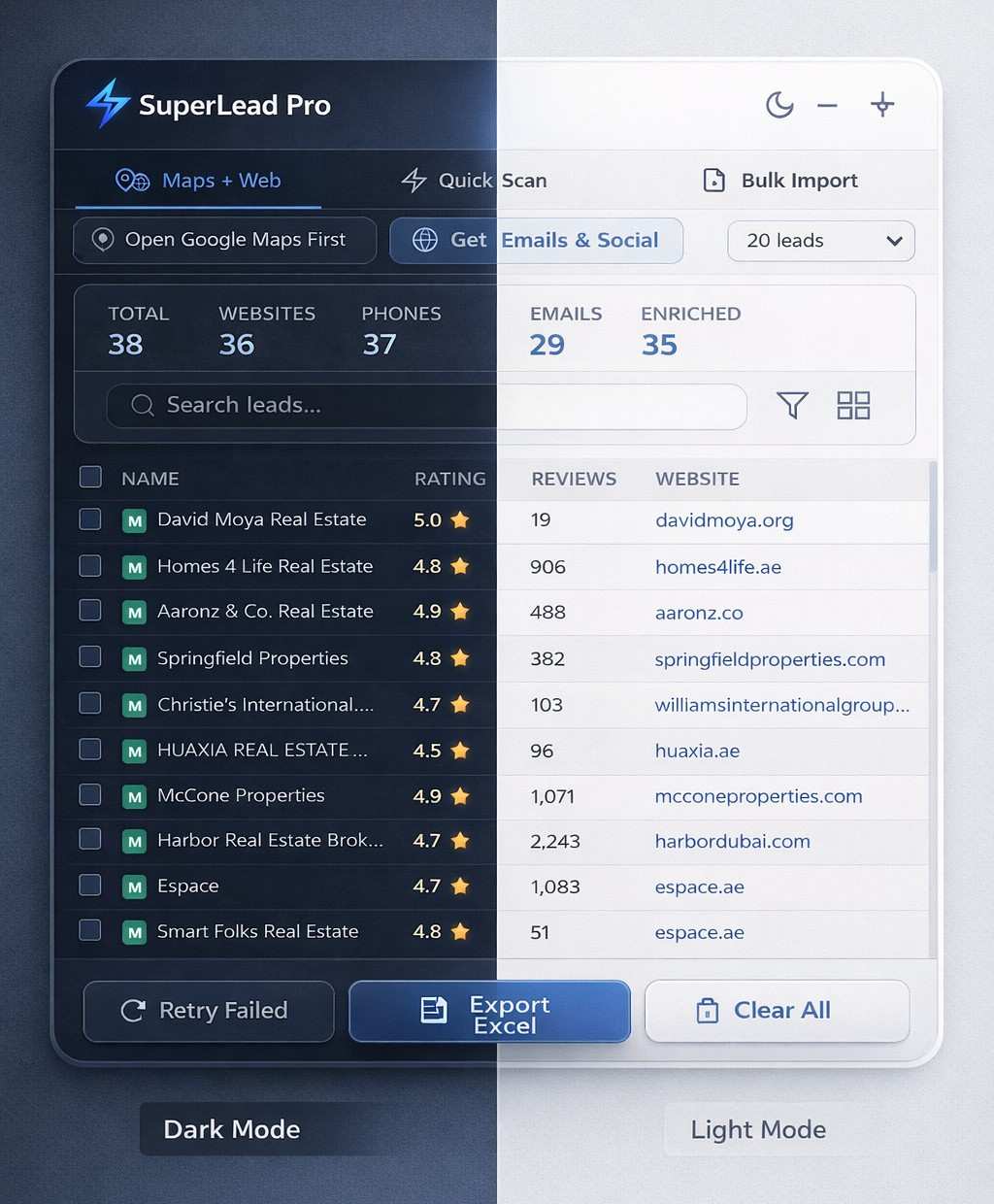
SuperLead Pro dark mode on left, light mode on right
feature-dark-ligh.jpeg
How It Works

From search to spreadsheet
in under 60 seconds

1

Search or browse

Open Google Maps, visit any business website, or paste a list of URLs.

2

Review & Enrich

Click start or press Alt+S. SuperLead Pro extracts visible data and automatically finds hidden contact details from websites.

3

Export Data

Export your results with a single click to a perfectly formatted Excel or CSV file, ready for your CRM.

Data You Get

Every data point you need
to close your next deal

Business Name
Phone Number
Website URL
Email Address
Rating & Reviews
Full Address
LinkedIn
Instagram
Facebook
YouTube
Twitter / X
TikTok
Pricing

Start free, upgrade when you're ready

SuperLead Pro is free to use. Get lifetime access to unlock higher website check limits and priority features.

Free

Perfect for trying it out

$0 forever
  • Google Maps Result Review
  • Website Contact Enrichment
  • Bulk URL import & Quick Scan
  • Up to 20 results total in workspace
  • Export to CSV
  • Excel export with formatting
  • Advanced settings
Install Free Extension
200 early-bird spots remaining

Price increases to $49 when spots run out

FAQ

Frequently asked questions

Everything you need to know about SuperLead Pro.

Yes! The core Google Maps review feature is free with no sign-up required. You can save up to 20 results per session, use Quick Scan mode, and export to CSV — all for free, forever. The paid Lifetime Pro plan unlocks higher limits, website contact lookup, bulk import, and Excel export.

SuperLead Pro exports visible business name, phone number, website URL, full address, rating, review count, and category from Google Maps listings after you start the action. Website Contact Enrichment can then check listed business websites for public emails, LinkedIn, Instagram, Facebook, Twitter, TikTok, and YouTube profile links.

Collecting publicly available business data is generally legal. SuperLead Pro only saves information that is publicly visible on Google Maps and business websites. We recommend using the data responsibly and in compliance with applicable laws in your jurisdiction, including GDPR and CAN-SPAM regulations.

SuperLead Pro works on all Chromium-based browsers including Google Chrome, Microsoft Edge, Brave, Opera, and Vivaldi. Firefox is not currently supported as the extension uses Chrome's Manifest V3 APIs.

After saving results from Google Maps, click "Check Websites." The extension checks each listed business website for public email addresses and social profile links, then saves matching details to your local business list. No external data API is used.

No. SuperLead Pro is designed exclusively for organizing public data from business websites and Google Maps. To ensure strict compliance with Chrome Web Store policies and platform Terms of Service, the extension has a built-in firewall that actively blocks attempting to scan or scrape social media networks like Facebook, LinkedIn, Instagram, and X.

One payment, no subscriptions, no monthly fees. You get access to all current and future features forever. This includes all updates, new public-data review capabilities, and priority support. The early-bird price of $9 (regular $49) is available for the first 200 customers only.

Ready to organize your business research?

Join marketers who use SuperLead Pro to review public business details from Google Maps and the web.

Free forever. No sign-up required. Upgrade anytime.